

Unlocking the Power of DeepSeek with Janitor AI: Your Ultimate Guide
- Marco Baez Vergara

- Feb 21
- 8 min read
Updated: Apr 9
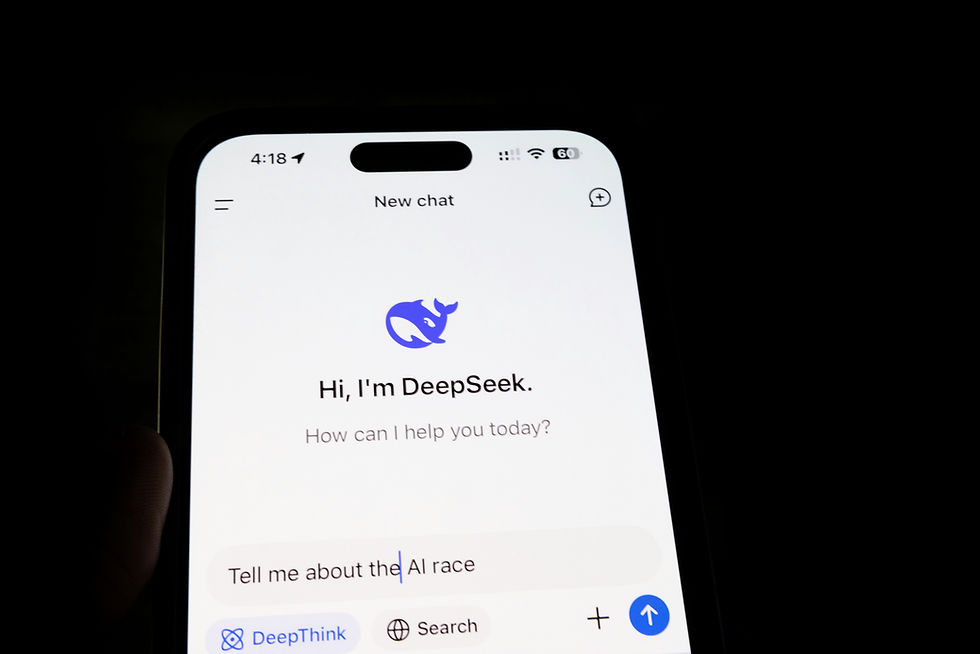
Janitor AI has gained traction for providing users with a flexible front end to interact with large language models (LLMs) through roleplay, chat, and custom AI workflows. While many default to OpenAI or Claude, interest in using DeepSeek as an alternative model is on the rise. This is especially true for those seeking more control, lower costs, or a different reasoning style.
This guide walks you through the complete setup process for using DeepSeek with Janitor AI. We’ll explain how the connection works, highlight common mistakes, and ensure you avoid pitfalls that can cause setups to fail.
No assumptions. No hand-waving. Just the full system, step by step.
Setting up DeepSeek on Janitor AI can significantly enhance your workflow. It enables efficient data search and retrieval within your AI environment. This guide covers everything from initial preparation to advanced configuration, ensuring you maximize DeepSeek’s capabilities on Janitor AI.
Whether you’re a developer, data scientist, or AI enthusiast, this detailed tutorial will help you integrate DeepSeek smoothly and leverage its features for enhanced productivity.
Understanding the Architecture Before You Start
Before diving into settings, it’s crucial to grasp one key fact:
Janitor AI does not host AI models. It serves as a client interface.
This means Janitor AI connects to external AI providers using an API (Application
Programming Interface). When you “use DeepSeek on Janitor AI,” you’re essentially:
Acquiring an API key from DeepSeek.
Instructing Janitor AI on how to communicate with DeepSeek’s API.
Routing your character chats through that API.
If any of these steps go awry, the system fails—often without a clear error message.
What Is DeepSeek and Why Use It?
DeepSeek is a family of large language models celebrated for their strong reasoning, coding ability, and competitive performance at a lower cost compared to many mainstream providers.
Why choose DeepSeek on Janitor AI?
Lower or more predictable pricing.
Strong long-form reasoning and dialogue.
Fewer stylistic constraints than some mainstream APIs.
Better control over temperature and output style.
However, remember: DeepSeek is not plug-and-play with Janitor AI unless configured correctly.
Step 1: Create a DeepSeek Account and Generate an API Key
To access DeepSeek’s API, follow these steps:
Visit DeepSeek’s official platform.
Create an account.
Navigate to the API or developer dashboard.
Generate a new API key.
Important details:
Treat the API key like a password.
Do not share it publicly.
If it leaks, revoke it immediately.
Store the key securely; you’ll need it exactly as provided.
Step 2: Identify the Correct DeepSeek API Base URL
This is where many setups falter.
Janitor AI requires a base URL for the API. DeepSeek offers multiple endpoints depending on model version and infrastructure. Typically, the base URL looks like:
or a versioned variant such as:
Verify the exact base URL required for chat completions in DeepSeek’s documentation. Janitor AI will not auto-correct this for you.
Just one missing /v1 can lead to constant errors.
Step 3: Open Janitor AI API Settings
Now, let’s move to Janitor AI:
Log in to Janitor AI.
Open Settings.
Navigate to API / Model Settings.
Look for Custom API or OpenAI-Compatible API.
Janitor AI treats most external models as OpenAI-compatible, meaning they follow a similar request format. DeepSeek supports this structure, which is why the integration works.

Step 4: Configure Janitor AI for DeepSeek
In the API configuration section, enter the following:
API Key
Paste your DeepSeek API key.
API Base URL
Paste the DeepSeek base URL (for example):
Model Name
This must match a valid DeepSeek model identifier, such as:
deepseek-chat
deepseek-coder
or another model listed in their documentation.
If the model name is incorrect, Janitor AI will fail silently or return empty responses.
Step 5: Adjust Model Parameters for Stability
DeepSeek behaves differently from OpenAI or Claude. Default settings often yield unstable or overly verbose results.
Recommended starting values:
Temperature: 0.7
Top-p: 0.9
Max tokens: 2,000–4,000
Frequency penalty: low or zero
Presence penalty: low
If responses feel erratic, lower the temperature first, not the top-p.
Step 6: Assign DeepSeek to a Character or Chat
Janitor AI allows per-character or per-chat model selection:
Open a character.
Go to character settings.
Select Custom / API model.
Choose your DeepSeek configuration.
Save changes.
This step is often overlooked. If you don’t explicitly assign the model, Janitor AI may revert to a default provider.
Step 7: Test with Controlled Prompts
Before engaging in real roleplay or lengthy chats, test with something simple:
“Respond in one sentence explaining what model you are.”
If DeepSeek is functioning correctly, it should respond immediately and consistently.
If you encounter:
Infinite loading
Empty replies
“Model not found”
Rate limit errors
The issue is likely due to:
Incorrect base URL
Incorrect model name
Invalid API key
Common Errors and How to Fix Them
Error: “No response / endless loading”
Cause: Wrong base URL or missing /v1.
Error: “Model not found”
Cause: Model name doesn’t match DeepSeek’s API exactly.
Error: Very short or cut-off replies
Cause: Max tokens set too low.
Error: Rambling or incoherent responses
Cause: Temperature too high for DeepSeek’s defaults.
Performance and Cost Considerations
DeepSeek is generally more affordable than OpenAI for extended conversations, but costs still scale with:
Token count
Context length
Retry attempts
Janitor AI does not cap your spending automatically. Set usage limits inside the DeepSeek dashboard if available.
Failing to do this can lead to unexpected charges, especially during long roleplay sessions.
Privacy and Data Flow Reality Check
When using DeepSeek through Janitor AI:
Janitor AI sends prompts to DeepSeek.
DeepSeek processes the text.
Responses return to Janitor AI.
Your data is handled according to DeepSeek’s API policy, not Janitor AI’s alone. If privacy is a concern, read DeepSeek’s retention terms carefully.
Setting Up DeepSeek on Janitor AI: Precision is Key
Setting up DeepSeek on Janitor AI is not hard—but it is exact.
Most failures occur because users assume:
The base URL doesn’t matter.
Any model name will work.
Default settings are safe.
They aren’t.
Once configured correctly, DeepSeek can be a powerful, flexible alternative inside Janitor AI. It’s especially beneficial for users who want deeper reasoning, fewer constraints, or better cost control.
The setup is mechanical. Precision beats experimentation. Get the plumbing right, and everything else flows smoothly.
Companies and Organizations Working with DeepSeek
While direct corporate endorsements of DeepSeek within Janitor AI are limited (since Janitor AI is primarily a user-managed interface), there are documented cases of high-profile companies and sectors adopting DeepSeek’s technology or experimenting with its models. These usages reveal the environments where DeepSeek is being trusted or trialed at scale.
Chinese Tech and Telecom Leaders
Several major players in China’s technology and infrastructure landscape have announced integrations or collaborations with DeepSeek models, particularly the open-source DeepSeek R1. This model has been publicly released and widely tested:
Great Wall Motor has integrated DeepSeek’s AI into its “Coffee Intelligence” connected vehicle system, using the model to power in-car conversational and assistance features. This shows how DeepSeek can be applied beyond chat interfaces into real-world consumer products.
China Mobile, China Unicom, and China Telecom have publicly stated that they are working with DeepSeek’s open-source model to promote broader AI adoption across services, infrastructure, and consumer platforms.
In addition, other Chinese firms like Capitalonline Data Service and MeiG Smart Technology Company have acknowledged work on DeepSeek-related efforts or research integration, although they caution that business outcomes and impacts are still emerging.
These deployments indicate that DeepSeek is not just a niche research project but is being actively explored by companies with significant scale, customer bases, and operational demands.
AI-Driven Service Integration Outside China
While Chinese technology firms are the most clearly documented adopters, there are important usage patterns beyond China—indicative of DeepSeek’s relevance in professional and commercial settings:
Integrated Search Engines: The AI search platform Perplexity has incorporated DeepSeek’s R1 model into its Pro Search offering. This means users can choose DeepSeek as the underlying model to answer queries, perform research tasks, and generate detailed responses. This is a direct example of a commercial service utilizing DeepSeek’s reasoning capabilities in a real-world product experience.
This type of integration highlights how DeepSeek is being used outside simple experimentation and in public-facing services where user experience and accuracy are paramount.
Broader Industry Attention and Competitive Landscape
Even when not directly integrated, DeepSeek’s impact is visible in the strategic responses of big tech:
AI Innovation Dynamics: DeepSeek’s launch and rapid adoption have prompted some global tech firms (including Meta, Tencent, and Huawei) to publicly acknowledge experiments with or adaptations of DeepSeek models within internal projects or research environments.
While these engagements vary in scope and depth, they signal that DeepSeek’s technology is being noticed and tested by some of the largest organizations in the world.
This could include:
Prototyping DeepSeek-based agents for niche business units.
Testing reasoning capabilities against internal benchmarks.
Evaluating affordability and performance compared with other LLMs.
These kinds of explorations often precede wider adoption or formal integration once the technology proves mature and compliant with enterprise requirements.
Janitor AI-Specific Context
It’s essential to clarify what Janitor AI actually represents: Janitor AI is a platform/interface that allows individuals and teams to connect various language models (including DeepSeek) to customized chat experiences. Janitor AI doesn’t sign enterprise licensing deals in its own name; instead, users bring their own API keys and provider connections (as you do when configuring DeepSeek). This limits the number of public “enterprise case studies” tied specifically to Janitor AI + DeepSeek.
However, because DeepSeek is being adopted by serious commercial players and widely integrated into services like Perplexity, it demonstrates that the model you connect to Janitor AI is production-ready in multiple corporate contexts—it’s not just a hobbyist project.
What This Means for You
The takeaway isn’t just a list of names or logos—it’s a signal about trust and maturity:
DeepSeek’s open-source models are being actively deployed by large organizations and services.
Major telecom carriers and an automaker have announced integration; international AI applications are incorporating DeepSeek into search and interaction engines. DeepSeek’s models are no longer “small experiments” but part of real product pipelines being tested and used at scale.
This reinforces that connecting DeepSeek to Janitor AI isn’t a fringe hack—it’s using a model that enterprises have already integrated into commercial offerings elsewhere.
Final Notes and Conclusion
Connecting DeepSeek to Janitor AI is not a novelty setup or a fringe workaround. It is an implementation of a well-established AI deployment pattern: a clean interface layer connected to a reasoning model via API. This same structure is already used in automotive systems, telecom platforms, internal enterprise tools, and AI-powered search products. Janitor AI simply makes that architecture accessible without requiring a custom frontend or backend to be built from scratch.
When configured correctly, this setup gives you predictable behavior, scalable performance, and control over how the model reasons and responds. When configured poorly, it fails quietly. Precision matters. Model names, base URLs, parameters, and routing choices are not cosmetic details; they are the system.
If you are evaluating this stack for serious use, the real decision is not whether Janitor AI or DeepSeek are “good enough,” but whether you want to spend time building infrastructure or focus on outcomes. This guide is meant to remove ambiguity so you can make that decision with clarity.
If you need help setting this up properly, validating your configuration, or adapting it for a production or semi-production use case, you can reach us directly at:
We help teams and individuals implement AI systems correctly the first time, without guesswork or trial-and-error debt.


Comments